
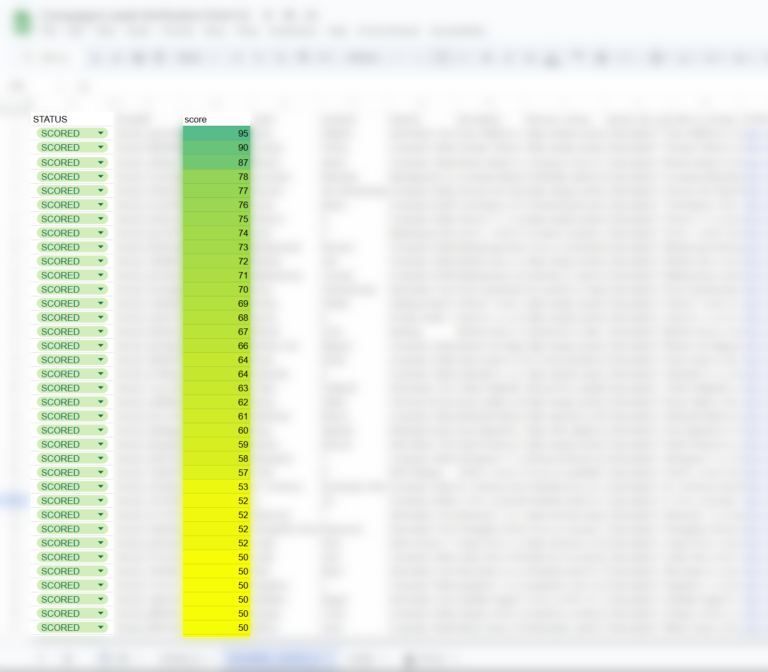
In the realm of complex marketing and sales processes, Google Apps Script can prove indispensable. By leveraging it, you can automate numerous tasks in Google Sheets, manage workflows in ClickUp, integrate with tools like Make.com, and ultimately save your team valuable time.
Why Google Apps Script?
Simplicity and flexibility — these two qualities make Apps Script stand out from other solutions. It runs directly within the Google ecosystem, eliminating the need to build and maintain a separate infrastructure. With a comprehensive range of built-in methods and the ability to connect to external APIs, Apps Script excels at:
- Secure web interface
- Automating marketing activities (e.g., lead scoring)
- Managing data in spreadsheets
- Creating notifications and scheduling tasks
- Streamlining communication among multiple tools
Key Use Cases and Trigger Types
Many people are unaware that Google Apps Script offers various trigger types to run scripts on demand. This means you can respond to specific spreadsheet events or schedule tasks at fixed times.
1. Time-Driven Triggers
By setting time-based schedules (e.g., every 10 minutes, daily, or weekly), you can:
- Update data in spreadsheets
- Send notifications to your team
- Generate reports and email them automatically
- Check if something happens every X time
2. Change-Driven Triggers
onEdit
- Fires only when a user changes a cell value via the browser interface.
- Runs automatically as a simple trigger.
- Does not detect adding rows, columns, or comments.
It’s perfect for scenarios where you want to run an Apps Script function based on user-driven actions—for instance:
- Updating records when a cell in an “Action” or “Status” column is changed by the user, allowing specific rows to trigger Apps Script functions on demand
onChange
- Requires manual installation (it’s an installable trigger).
- Can detect various types of changes, such as:
- EDIT (cell edit)
- INSERT_ROW (adding a row)
- INSERT_COLUMN (adding a column)
- REMOVE_ROW (removing a row)
- REMOVE_COLUMN (removing a column)
- FORMAT (formatting changes)
- OTHER (other types of modifications)
It’s particularly useful when you need to automatically run actions after a scenario completes in Make.com or when a third-party service updates your spreadsheet.
3. “onOpen” Triggers

When a user opens a spreadsheet, you can automatically:
- Show a sidebar with important instructions
- Refresh auxiliary data or metrics
- Verify user permissions
- Perform functions
- etc…
Lead Scoring in Action
A prime example of how Google Apps Script shines is in lead scoring. It typically involves:
- Adding a new lead to a Google Sheets spreadsheet
- Running a script that sends the data to an analytics tool (e.g., an AI model) to generate a lead score
- Saving that score back into the spreadsheet and forwarding key details to other systems — such as a CRM or marketing automation tool
By combining both time-driven and change-driven triggers, the process remains continuously monitored, and any errors can be handled via automated retry mechanisms.
Connecting to the Broader Ecosystem
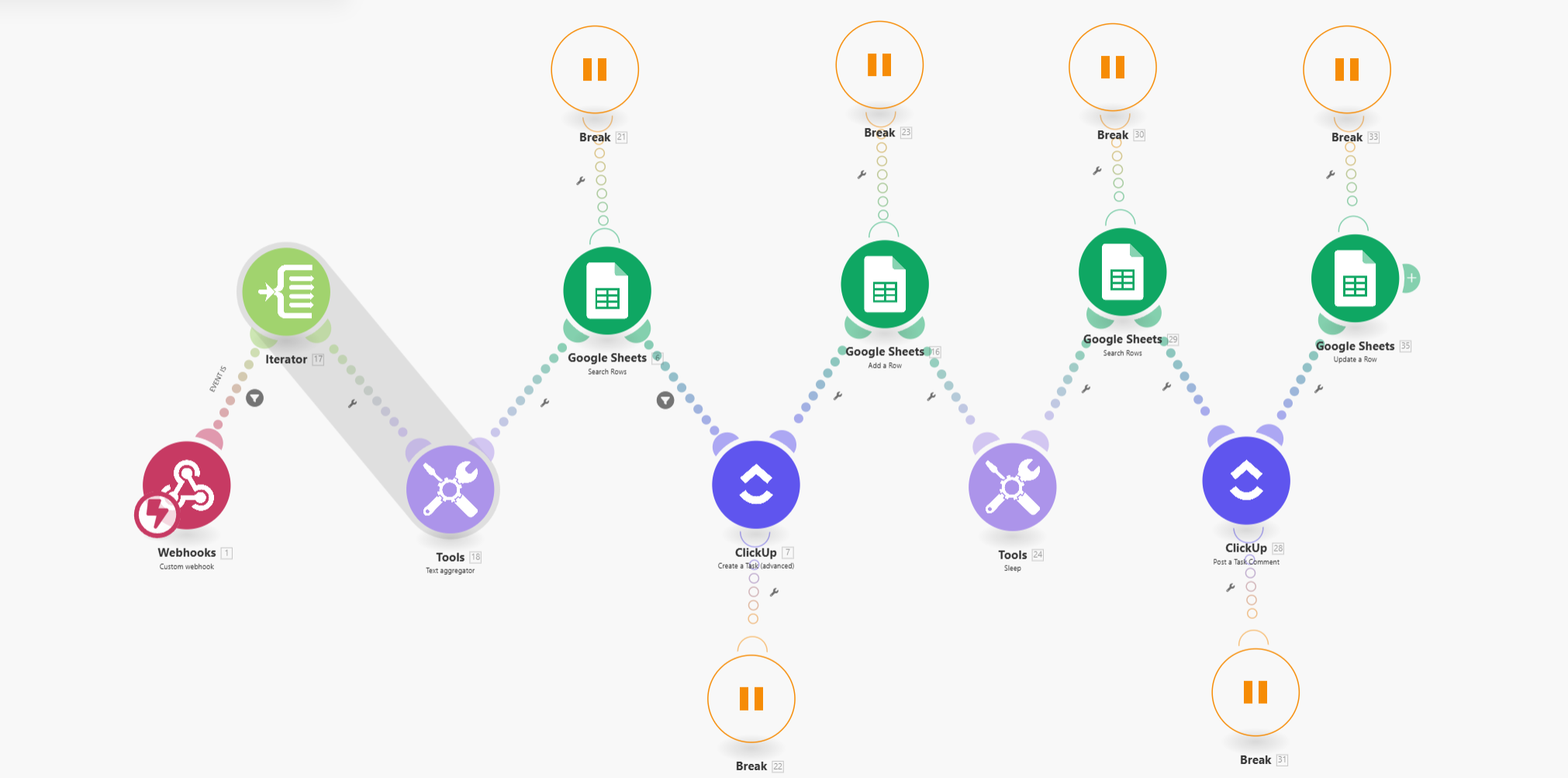
An organization like Konamiya doesn’t limit itself to Google-only tools. Its ecosystem might include:
- ClickUp – for project and task management
- Make.com – for orchestrating workflows among different platforms
- Other tools dedicated to automating contact management and relationship building
Apps Script acts as the “glue” linking Google Sheets to these systems, enabling smooth data exchange. For instance, when a new lead is added to the spreadsheet, a script can call Make.com, which triggers a task in ClickUp and initiates message sending in an automation tool.
Security and Reliability
Any automated process demands a strong focus on security and stability. With Google Apps Script:
- You can restrict access to specific spreadsheets and scripts to prevent unauthorized edits
- You can configure retry mechanisms if a script encounters an error
- A variety of triggers ensure that essential tasks (e.g., updating lead databases) aren’t missed, even in the event of intermittent network or API issues
Why It’s Worth It
Harnessing Google Apps Script doesn’t just streamline tasks like lead scoring, reporting, and communications—it also provides a user-friendly, graphical interface that can accommodate a vast range of integrations and functionalities. In many ways, your only real limit is your own imagination. For organizations that:
- Operate within Google’s ecosystem and want to automate specific tasks,
- Need seamless integration with external services (CRMs, marketing tools, or other platforms),
- Prioritize ease of deployment and low maintenance costs but also desire versatile customization,
Apps Script truly shines as a winning solution. With minimal overhead and a robust set of built-in features, it offers unparalleled flexibility for developers and non-developers alike—elevating productivity without requiring extensive infrastructure.
Questions or looking for more info?
Get in touch. We’re always happy to share our experience and help you set up your own automation!